Fish Lab Guides Hub
From first hover to grants, modes, and endgame swarms — every how-to in one place.
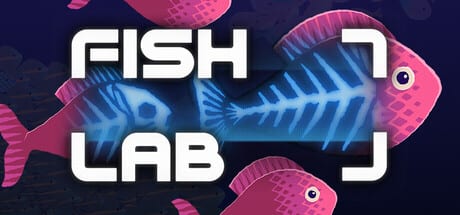
Welcome to the Fish Lab Guides Hub. Fish Lab is a short incremental Steam game by solo developer stonecodes: you hover over fish on the beat, process them in your lab, buy upgrades, write grants for big equipment, and grow toward absurd GPU-driven swarms. This hub is the map for every tutorial on the wiki.
Start here
New players should open the Getting Started guide first. It covers the first session loop — collecting on the music pulse, processing fish into money, reading early upgrades, and noticing when grants unlock larger equipment. Pair it with the How to Collect Fish page if the rhythm cursor feels slippery, and skim Controls & Input for mouse, keyboard, controller, and Zen input notes.
If you prefer a longer video-backed path, the Walkthrough follows a full playthrough rhythm and points you at mid-game decisions without spoiling every discovery.
Core systems
Fish Lab is deceptively simple on the surface and dense underneath. These deep dives explain the systems players ask about most:
- How to Collect Fish — beat timing, cursor hover, swarm density, and tool synergy
- Controls & Input Guide — hover-on-beat habits, menus, full controller support, Zen screensaver notes
- Grants and Tech Tree — writing grants, 200+ upgrades, and how big equipment fits the tree
- Game Modes — Sandbox, Endless, and Zen as a real Windows screensaver
Cross-check priorities with the Upgrades Priority Tier List and the Tools Tier List when you are deciding where power and money should go next.
Hardware and performance
Late swarms are GPU work. Before Endless marathons, read:
- System Requirements — Windows / macOS Apple Silicon / SteamOS mins, Intel UHD caveats
- Performance Tips — swarm FPS triage, overlays, Discord bug reports
Tools and power
Collection tools and power allocation deserve their own hub. Visit Tools Hub for overviews, then drill into Collection Tools and Power Allocation. Many “my lab feels stuck” moments are actually tool-power imbalances rather than missing upgrades.
Achievements, tips, and updates
Looking for Steam rewards or wondering if promo codes exist? See Achievements & Rewards and the deep Achievements Guide — Fish Lab ships with ten Steam Achievements and no traditional redeem codes at launch. Community confusion (tanks, offline labs, counters) is collected in Tips and Tricks under the Players Hub. Patch history from demo to full release lives on the Updates Hub, with a dedicated September 2026 Launch Notes briefing.
How to use this wiki
- Finish Getting Started in one sitting.
- When the swarm grows, read How to Collect Fish, Controls, and Collection Tools.
- Before expensive purchases, open Grants and Tech Tree plus Upgrades Priority.
- After the main loop clicks, try Game Modes and chase remaining achievements.
- Bookmark Updates, Launch 2026, and the official Discord so patch notes and future community rewards do not sneak past you.
- If frames hitch, open Performance Tips before rewriting your timing.
Fish Lab rewards curiosity: the lab grows as you play, shaders drive the spectacle, and the soundtrack keeps your cursor honest. Use these guides to shorten the confusing middle hours without removing the joy of discovery. For a high-level overview of the game and this site, visit the Fish Lab Wiki page.
Frequently Asked Questions
Quick answers to the most common questions.
Which Fish Lab guide should I read first?
Start with Getting Started, then Controls or How to Collect Fish if rhythm timing still feels unclear.
Where are grants and the tech tree explained?
See the Grants and Tech Tree guide under this hub, and cross-check the Upgrades Priority tier list.
Does this hub cover Sandbox, Endless, and Zen?
Yes — open the Game Modes guide for Sandbox, Endless, and the installable Zen Windows screensaver.
Where are system requirements and FPS tips?
See System Requirements for Steam mins and Intel UHD notes, then Performance Tips for swarm FPS triage.