Getting Started with Fish Lab
Learn the beat-hover loop, grow your lab, and make smart early upgrade choices.
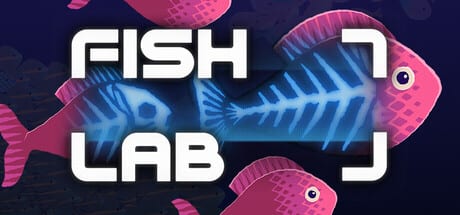
Fish Lab is a short incremental game on Steam by stonecodes. You collect fish by hovering your cursor on the beat, process them for money, buy upgrades from a deep tech tree, write grants for oversized equipment, and watch the lab balloon toward tens of thousands of GPU-simulated fish. This getting-started guide is your first-hour checklist for the full September 2026 release (and it still helps if you played the May 2026 demo).
What you are trying to do
The fantasy is simple: build a research lab that thrives on absurd fish throughput. Practically, every session cycles through four beats:
- Collect — hover over fish when the music pulse lands.
- Process — turn catch into currency and lab progress.
- Upgrade — spend into the 200+ tech-tree nodes that amplify collection, processing, tools, and capacity.
- Specialize — allocate power to tools and, when available, write grants that unlock big equipment spikes.
The lab grows as you play. You do not need to micromanage every wall tile; you do need to keep the economy looping so growth does not stall.
First minutes: learn the pulse
Boot the game, listen for the soundtrack, and treat the cursor like a metronome. Early fish are sparse enough that you can practice landing hovers cleanly. Missing the beat wastes motion; riding the beat stacks catch efficiently. If timing still feels fuzzy, jump to How to Collect Fish after this page — that guide goes deeper on rhythm, swarms, and tool assists.
Do not panic if the screen feels quiet at first. Fish Lab is designed to escalate: early clarity, mid-game density, late-game shader swarms that can approach roughly 100,000 fish on screen depending on your hardware.
Processing and money
Collected fish feed the lab. Processing converts biological chaos into spendable progress. Early on, prioritize whatever lets you process steadily rather than chasing every flashy unlock. Money (and related counters) funds the tech tree; if processing lags collection, you create a bottleneck that feels like “the game slowed down” even when you are catching fine.
Community players often confuse the fish counter, server-facing tallies, and tank storage. For those gotchas, keep Tips and Tricks open in a second tab while you learn.
Early upgrades without regret
Open the tech tree as soon as it appears. Early nodes usually reward:
- Faster or more forgiving collection windows
- Better processing throughput
- Tool unlocks or tool efficiency
- Capacity and quality-of-life that reduce friction
Avoid dumping everything into a single late-looking branch before your loop is stable. A balanced early spread that keeps collect → process → buy humming will outpace a greed spike that leaves you unable to afford the next node. When you want ranked advice, use the Upgrades Priority list.
Tools arrive — allocate power thoughtfully
Fish Lab is not only cursor skill. Tools help you scoop, scan, or otherwise multiply catch, and you choose how to power them. Spreading power evenly feels safe; concentrating power on your best active tool often accelerates the mid-game harder. Read Power Allocation and the Tools Tier List once tools matter more than raw hovering.
Grants: the big equipment moments
Grants are the narrative-and-systems spike on top of the ordinary tech tree. When the game asks you to write grants, you are unlocking large equipment upgrades rather than another incremental +3% node. Treat grant moments as intentional plateaus: stock resources, complete the grant requirements, then enjoy the step-change. Full detail lives in Grants and Tech Tree.
Modes after the tutorial loop
Once the main loop clicks, explore Game Modes:
- Sandbox — freer experimentation with systems and spectacle
- Endless — long-form swarm chasing without a short campaign shape
- Zen — calmer presentation, installable as a real Windows screensaver
Modes are a reward for understanding the basics, not a replacement for learning them.
Platform, progress, and comfort settings
Fish Lab supports Windows, macOS (Apple Silicon), and Linux/SteamOS, with Steam Cloud, Family Sharing, full controller support, and ten achievements. It is a paid one-time purchase with no microtransactions. Minimum Windows needs are modest (Win 10, dual-core ~2.5 GHz, 4 GB RAM, entry discrete/iGPU class such as GTX 1050 2 GB / RX Vega 11 / Iris Xe, ~700 MB disk), but late swarms are GPU-shader heavy — if frame time climbs, lower density-facing options and read Updates for performance notes after patches.
First-hour checklist
- Master hover-on-beat collection for at least a few songs’ worth of play
- Keep processing from falling behind catch
- Buy early tech that stabilizes the loop
- Unlock and power at least one strong tool path
- Complete your first grant when it appears
- Glance at Achievements & Rewards so First Dive and friends are on your radar
- Join the Discord for patch chatter and any future community rewards
What to read next
Continue with the Walkthrough for a longer structured path, or jump straight into systems pages linked above. The Guides Hub lists everything. If something feels “broken” (lab offline, mysterious tanks, unclear traits), check Tips and Tricks before restarting a run — many pain points are confusing UX, not softlocks.
Fish Lab is short enough to finish, deep enough to tinker with, and musical enough that the best tip is also the simplest: stay on the beat, then let the lab grow around your timing.
Frequently Asked Questions
Quick answers to the most common questions.
Is Fish Lab free-to-play with codes?
No. It is a paid Steam game with no microtransactions. At launch there are no traditional redeem codes — see Achievements & Rewards for Steam achievements and Discord watch tips.
How long is the first session?
The demo was roughly half an hour for many players; the full game is still a short incremental but deeper. Focus on learning the beat loop in your first hour.
Do I need a powerful PC?
Minimum specs are light, but late swarms stress the GPU. Stable mid-range integrated or entry discrete graphics are ideal; lower swarm intensity if frames dip.
Where should I go after this guide?
Read How to Collect Fish, then Grants and Tech Tree, and skim Upgrades Priority before big spends.